
Parameters Cover Creation INDD and other Tutorials
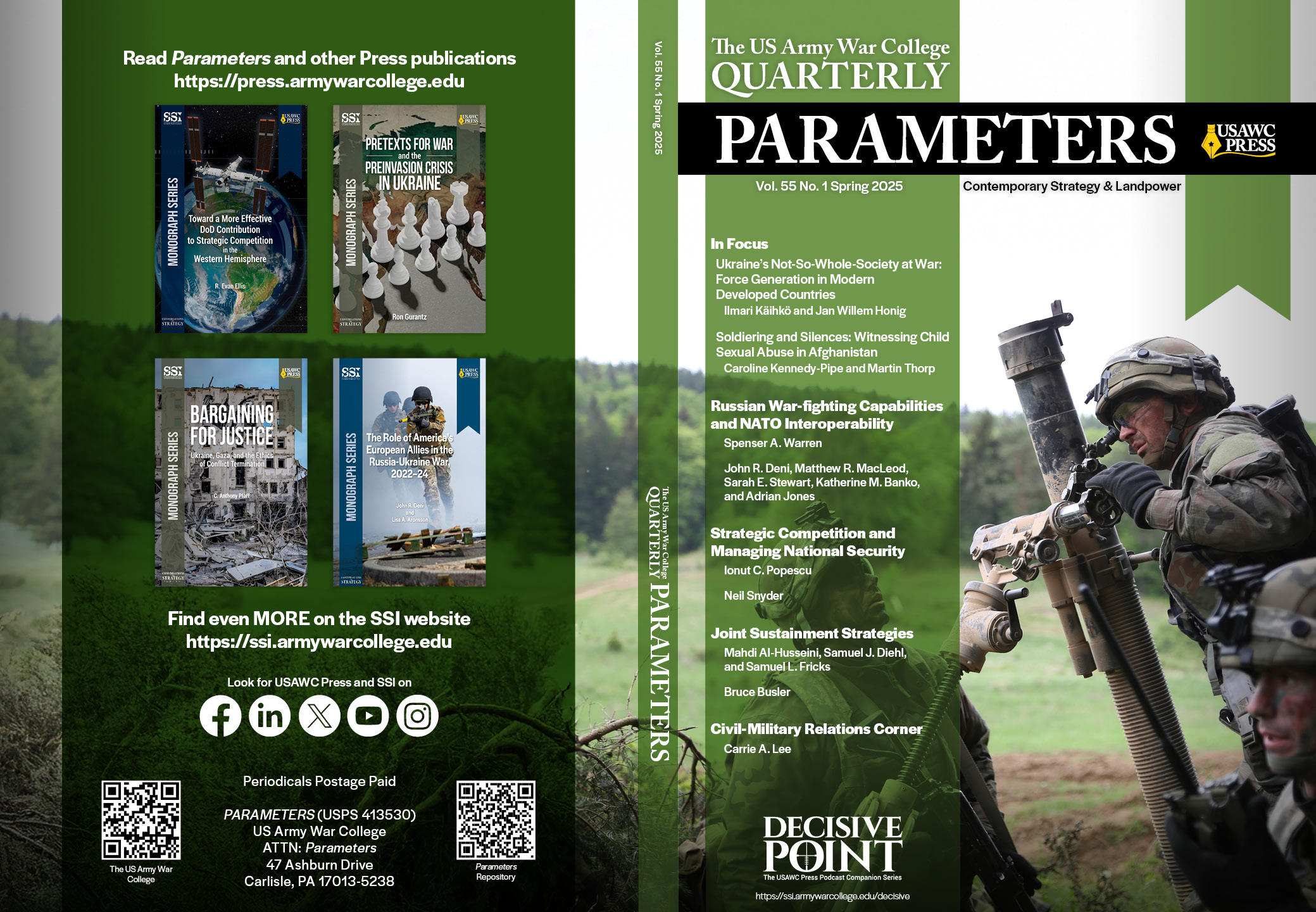
Tutorial I recorded before leaving my prior position to train my replacement on how to use the original Adobe InDesign template I developed for creating and updating the quarterly Parameters covers. I explain and demonstrate how the template works and how to add new content and images, and make changes for it to adjust to each season. Also explain how and where to get the photos we used for the covers and briefly touched on expanding photo edges/background using generative AI.
After redesigning the cover layouts for Parameters, I created custom templates to keep the look consistent. Two years later, when it came time to train my replacement, I recorded videos demonstrating how to use the template files, including where and how to update the various elements.
Some Cover Examples Utilizing the Parameters and Monograph Templates

Generative AI Tutorial
Short tutorial I recorded before leaving the Army War College to train my replacement how to use Generative AI for images on the quarterly Parameters covers. (All of the images and covers in the video are ones I created for the Army War College.)
This may be better described as a “what not to do,” as I emphasize the importance of on not adding new anything to the image that would change its meaning. I was only using AI to extend the edges/background to allow the most impactful parts of the photos fall within the front cover frame.
Website Specialized Code Update
Another short video tutorial, though this one is really only relevant for sites running or Bootstrap requring hand-coding. AFPIMS had some significant design limitations and our editor wanted a carousel. So I built one. Due to the oddities of the web.mil platform and our site specifically, it was a challenge to update, so this video explained to my replacement how to do that. It also gives a little tour of the site since all of the social media and cover graphics are also mine.